
Site Forms
Create, complete and manage construction forms digitally
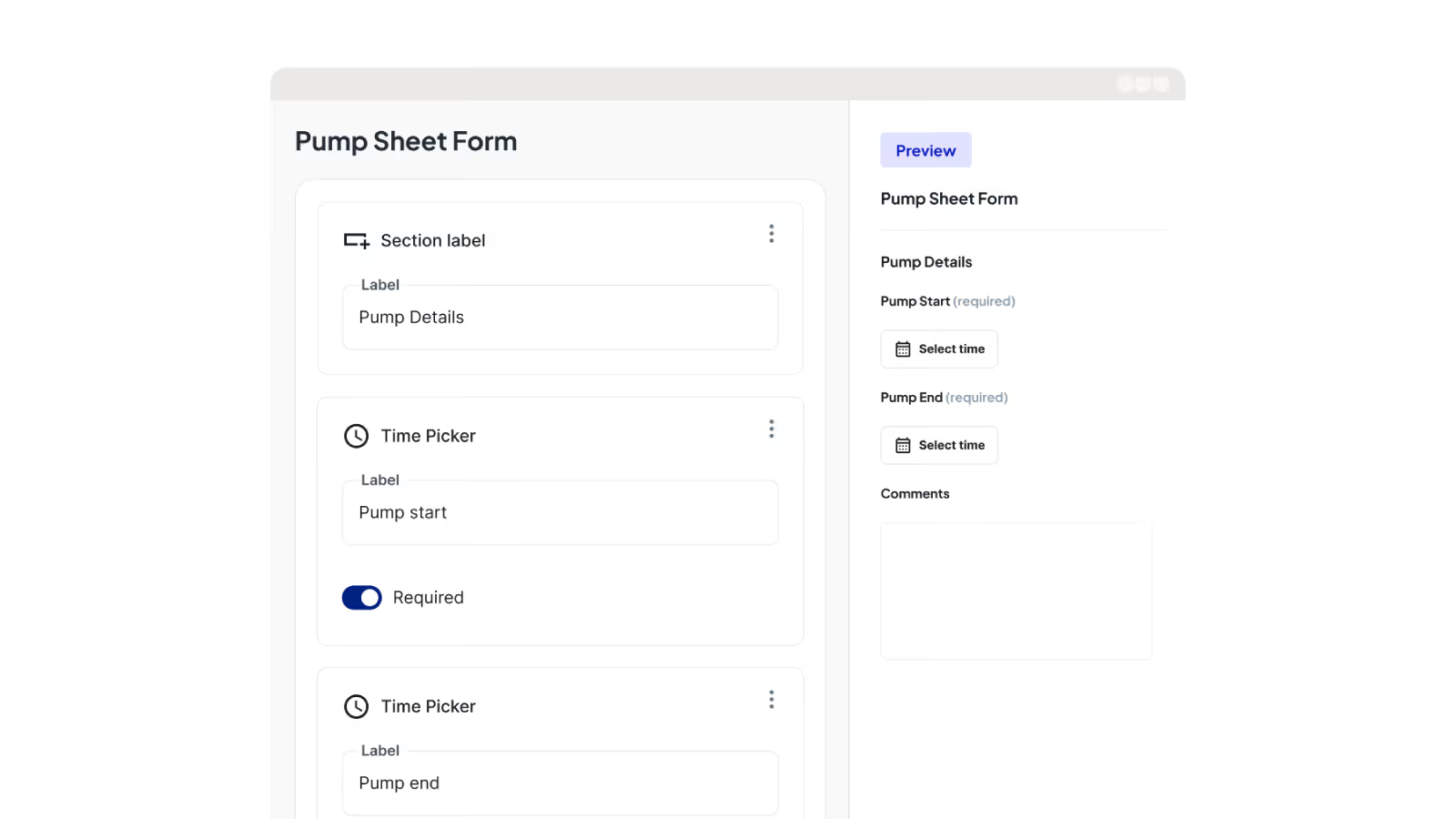
Neo’s construction forms software lets you build custom digital forms that crews complete on site. Every submission is automatically linked to the correct project and daily log, so you get consistent, compliant records that hold up when a claim, variation or audit is on the line.
Trusted by small, medium and large subcontractors across Australia











Turn paper construction forms into reliable digital records
Paper forms and scattered photos create gaps and delays that cost you at claim time. Digital construction forms link directly to projects and daily logs, creating consistent documentation for audits, claims and reporting.

Easy-to-complete construction forms
Mobile-friendly construction forms replace paper forms and rigid templates, making it easy for crews to capture photos, notes and sign-offs on site.

Capture submissions on site
Forms are completed on site with photos and notes included and linked to the right project. So there’s no chasing missing or late documentation after day’s end.

Standardise safety and site compliance
Form templates keep safety and compliance consistent across crews and jobs, with the flexibility to create specific construction form variations.
Find records fast
All submissions are stored centrally in one platform and searchable by job, date or form type when you need them.
Build the construction forms your business actually uses
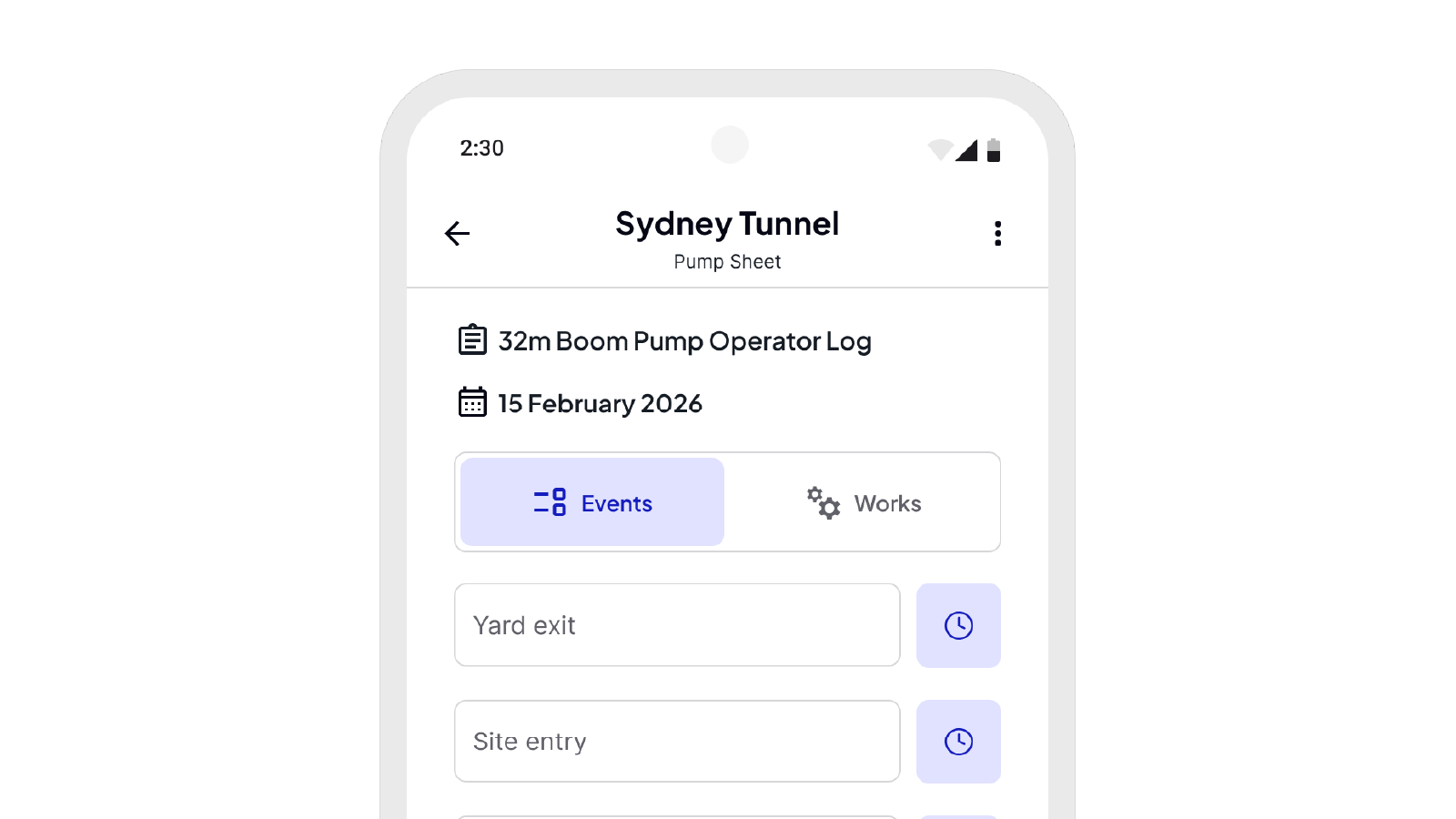
Neo's construction custom form builder lets you create as many form types as you need, QA and safety forms, toolbox talks, pre-start checklists, risk assessments, variations, day labour dockets and inspection and test plans (ITPs). Every form is built from structured, mobile-friendly fields, made for how construction actually works.
Make form completion fast and practical as the work happens
Complete construction forms on site using the Neo Field App. Record all form details, attach relevant photos and capture signatures at the point of work.
Keep site documentation connected and visible
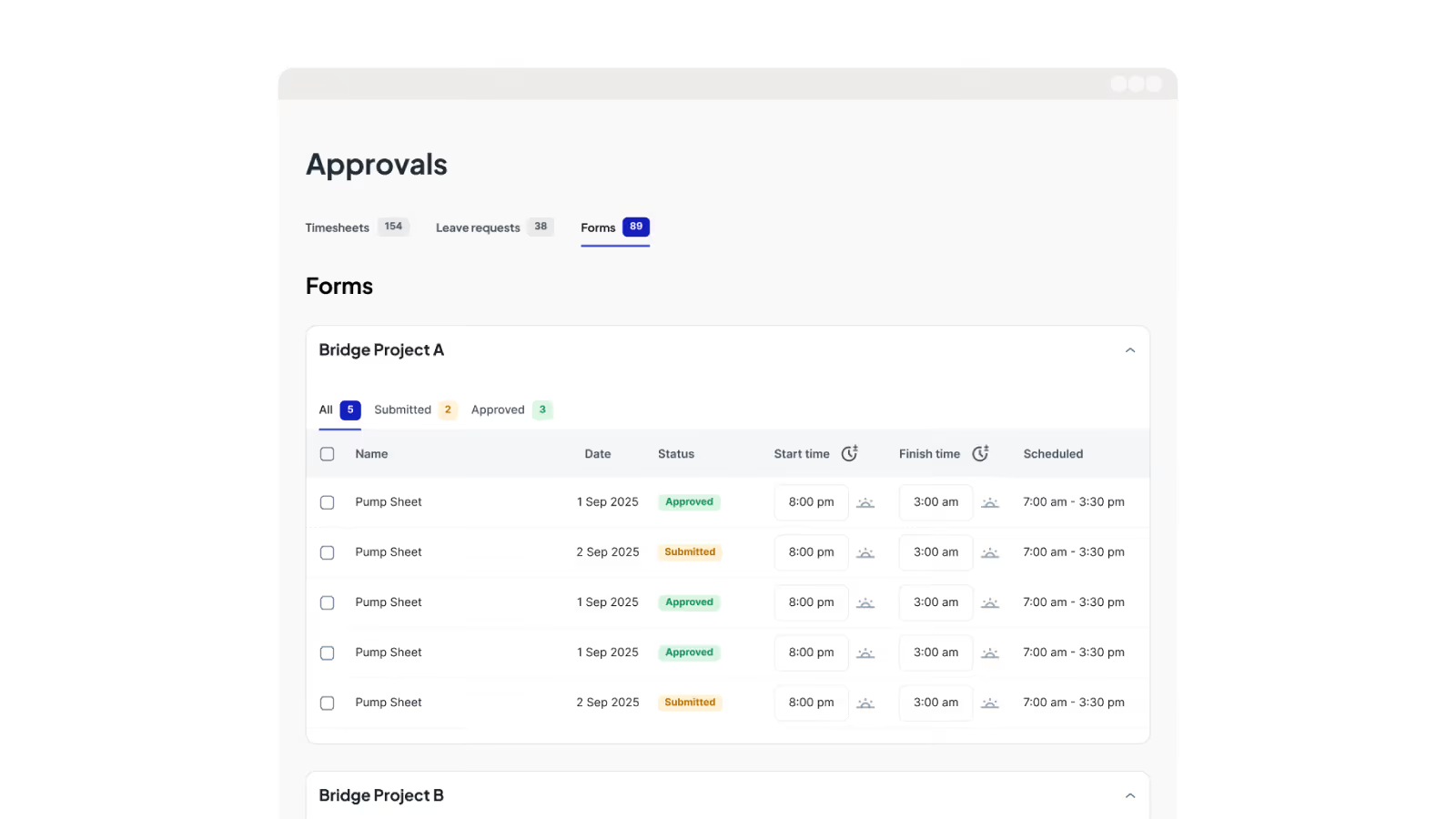
Form submissions are automatically linked to the correct project and included in the daily log. Labour, activity, compliance and site records all connected, giving office teams a clear line-of-sight of what’s happening on site.

One source of truth for construction forms and reporting
Form submissions sync instantly to the office, giving real-time visibility into site activity and compliance. Search, filter and review construction forms by project, date or type, then export professional reports.
Neo connects every project from site to office
One platform. All your operations. A smarter, more profitable way to run your subcontracting business.
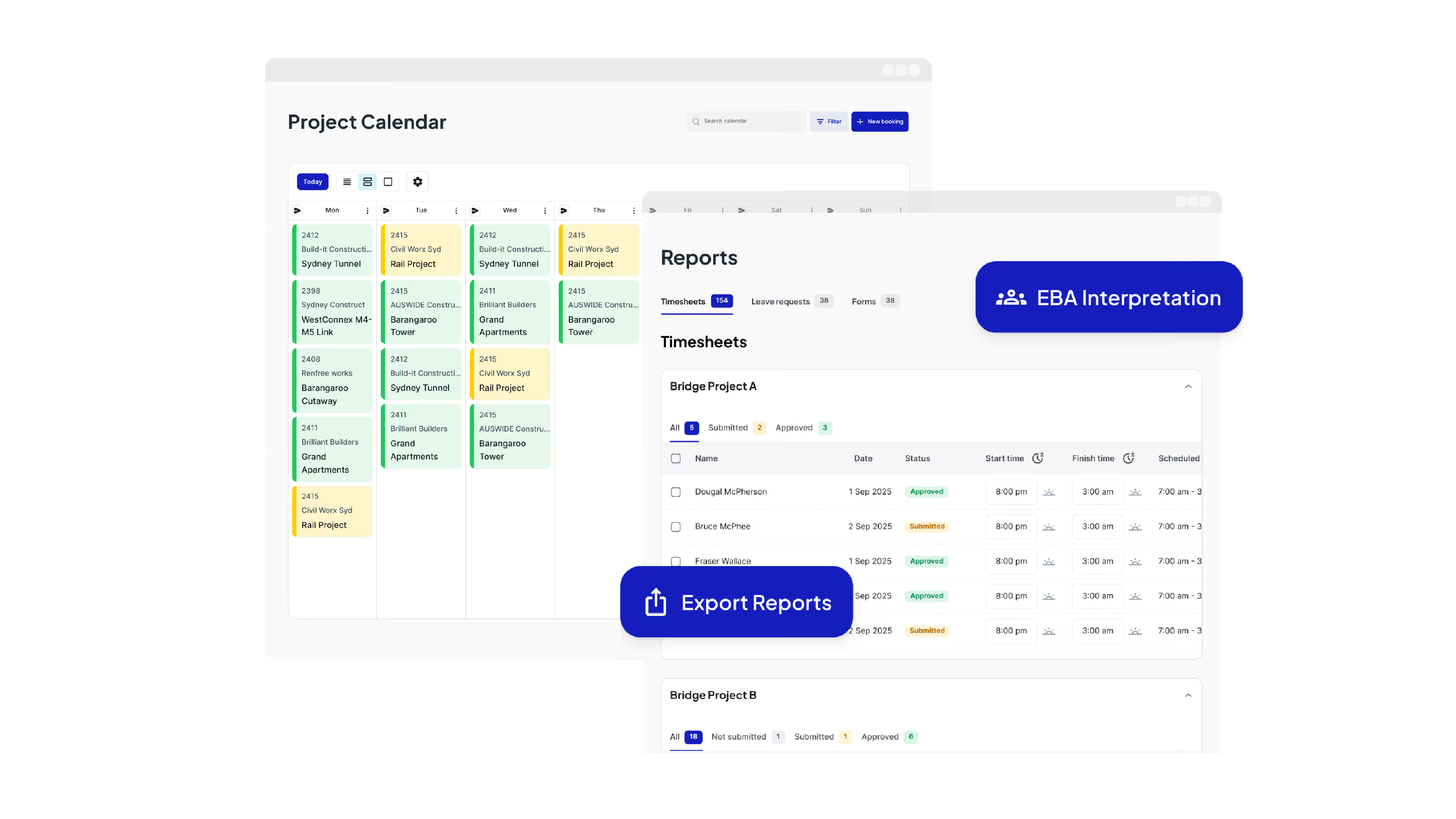
Run Your Operations from One Dashboard
Plan projects, schedule crews, manage compliance, approve timesheets, run payroll and oversee reporting all from one place.

Keep your crews connected and productive on site
Get schedules and project information, log and approve timesheets, capture site diaries and complete digital forms from your mobile phone.
Leading Australian subcontractors run their business with Neo.
How GVK Group reduced payroll processing by 90% and streamlined scheduling with Neo
See how GVK Group uses Neo construction management software to automate EBA payroll, scheduling and digital forms across large subcontractor teams.
Features

How Sambar Plumbing reduced scheduling time by 90% with Neo
Discover how Sambar Plumbing uses Neo construction management software to streamline scheduling, digital timesheets and site diary reporting.
Features

How C3 Construction Group reduced payroll processing by 80% and scheduling time by 50% with Neo
See how C3 Construction Group uses Neo construction management software to streamline payroll, scheduling and safety documentation.
Features
How SDC Group scaled their subcontractor operations without adding extra admin
Learn how SDC Group uses Neo construction management software to reduce admin workload and improve project coordination.
Features

How SG Formwork reduced payroll processing and resource allocation by 80% with Neo
Discover how SG Formwork uses Neo construction management software to streamline payroll, labour tracking and workforce visibility.
Features
How Neo’s construction software delivered a 50% reduction in admin time for BSECC
See how BSECC uses Neo construction management software to automate EBA payroll, improve scheduling and simplify site reporting.
Features
Frequently Asked Questions
Common questions about Neo Intelligence and how it works
Neo’s construction forms software lets you create, complete and manage critical construction forms digitally. Forms are quick to complete, standardised for compliance and completed on site using the Field App, with every submission automatically linked to the correct project and daily log.
By connecting construction forms with scheduling, timesheets, site diaries and payroll-ready data in one workflow, Neo removes duplication, reduces disputes and helps protect margins without adding complexity.
Construction forms are used by subcontractors across trades who rely on consistent site documentation, including concrete, formwork, steel fixing, post-tension, civil construction and other field-heavy trades. Any subcontractor managing QA, safety, labour records, variations or compliance documentation benefits from digital, customisable and project-linked construction forms.
Office teams create custom digital forms using Neo’s construction form builder, then assign them to projects. Once published, teams will use the same approved form template across all projects, ensuring consistency, compliance and reliable reporting. Crews complete forms on site using the Neo Field App, capturing photos, notes, evidence and signatures, with submissions instantly visible to the office and stored centrally.
Site crews complete construction forms using the Field App, while office teams can view submissions in real-time from the Admin Console. This gives everyone visibility without chasing paperwork or relying on manual handover.
Every form submission is automatically linked to the correct project and included in the daily log. This ensures site activity, evidence and compliance records are connected and visible in one place, creating a complete daily record of work performed.
Site Forms are not used for scheduling, but they integrate into Neo’s broader workflow. Completed construction forms support daily logs, compliance and claims alongside scheduling, timesheets and site diaries, keeping all project records connected.
Paper-based systems rely on manual entry, inconsistent formats and delayed reporting. Neo replaces these with structured digital construction forms that crews complete on site. Every form is automatically linked to projects and daily logs and available to the office in real time.
Most construction software platforms are built for contractors or project managers and treat forms as generic documents. Neo is built specifically for subcontractors, which means its construction forms are based on how work happens on site.
Forms are quick to complete, standardised for compliance and linked directly to projects, daily logs and labour records. By connecting construction forms with scheduling, timesheets, site diaries and payroll-ready data in one workflow, Neo removes duplication, reduces disputes and protects margins without adding complexity.
Neo’s construction forms software removes paper handling, rework and manual follow-ups by digitising form capture and storage. Forms are securely stored in one place, making them easy to access, download and share without chasing emails or files. Clean records and storage reduce admin time and compliance risk while supporting faster claims, fewer disputes and smoother audits.
Ready to see an easier way to run your subcontracting business?
Get the clarity, accuracy and confidence you need to keep jobs and crews moving.