
Project Calendar and Scheduling
Stay in control of every job
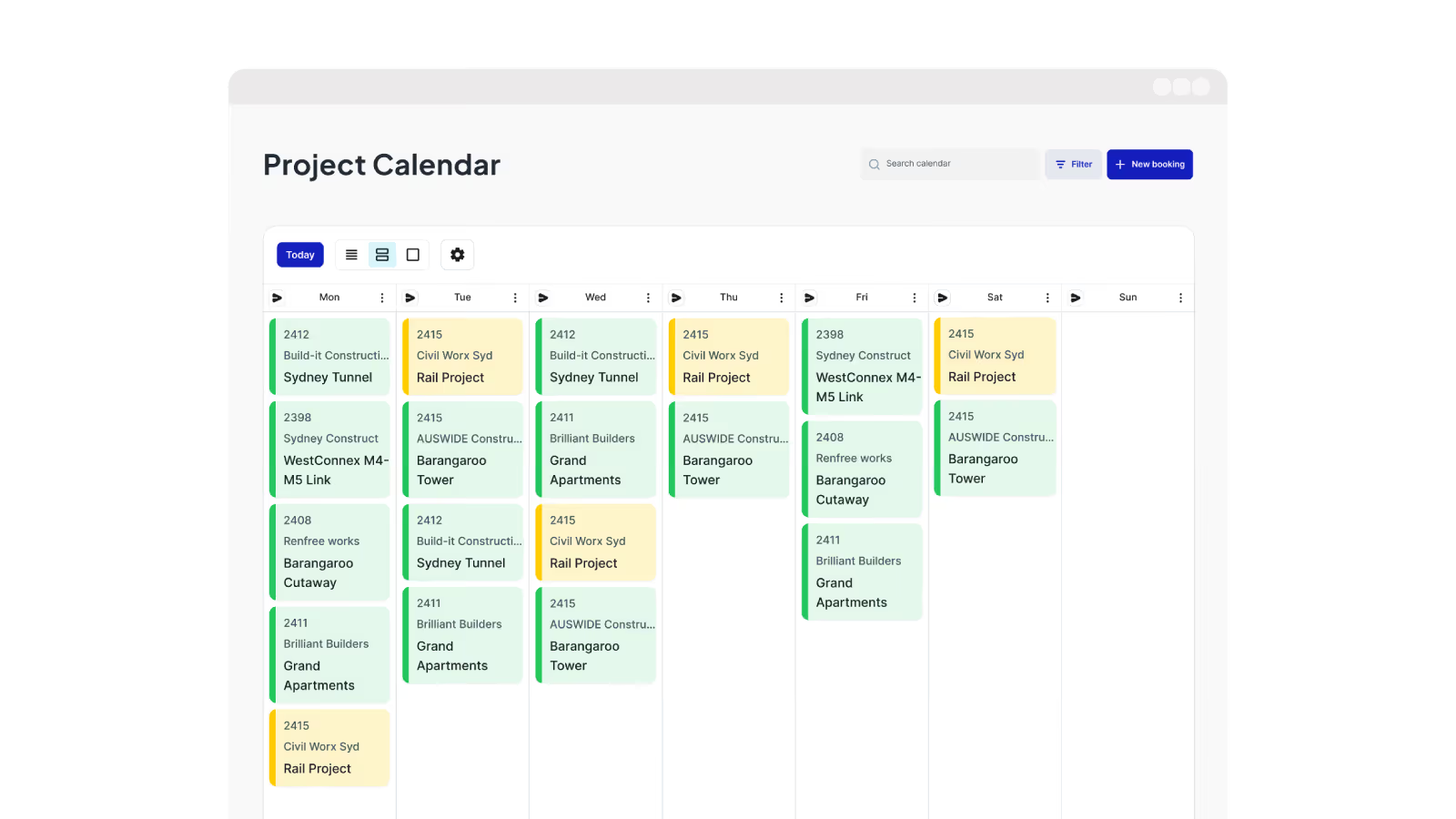
Plan work faster, allocate crews easier and track progress with construction scheduling software built for subcontractors. A single live view of every job keeping crews, equipment and jobs moving.
Trusted by small, medium and large subcontractors across Australia

















Schedule crews in minutes not hours
Disconnected schedules create double‑bookings and hours of rework. One live construction schedule keeps projects, crews and equipment aligned for faster planning.

Faster scheduling, no duplication
Create and assign projects consistently, with drag‑and‑drop allocation that prevents double‑booking people or equipment.

One live view of all work
A shared project calendar between office and fieldworkers that shows who’s working where, what’s coming up and what needs attention.

Crews know where to be
Crews see only their jobs, start times and locations, so the right people turn up to the right job without calls or late‑night follow‑ups.

Reliable daily logs every time
Daily logs bring together timesheets, site diaries and forms, giving the office trustworthy records for payroll, invoicing and compliance.
Allocate people and equipment fast
Create bookings and assign crews and equipment using a drag‑and‑dropinterface. Make changes instantly without re‑entering job details or manually chasing.

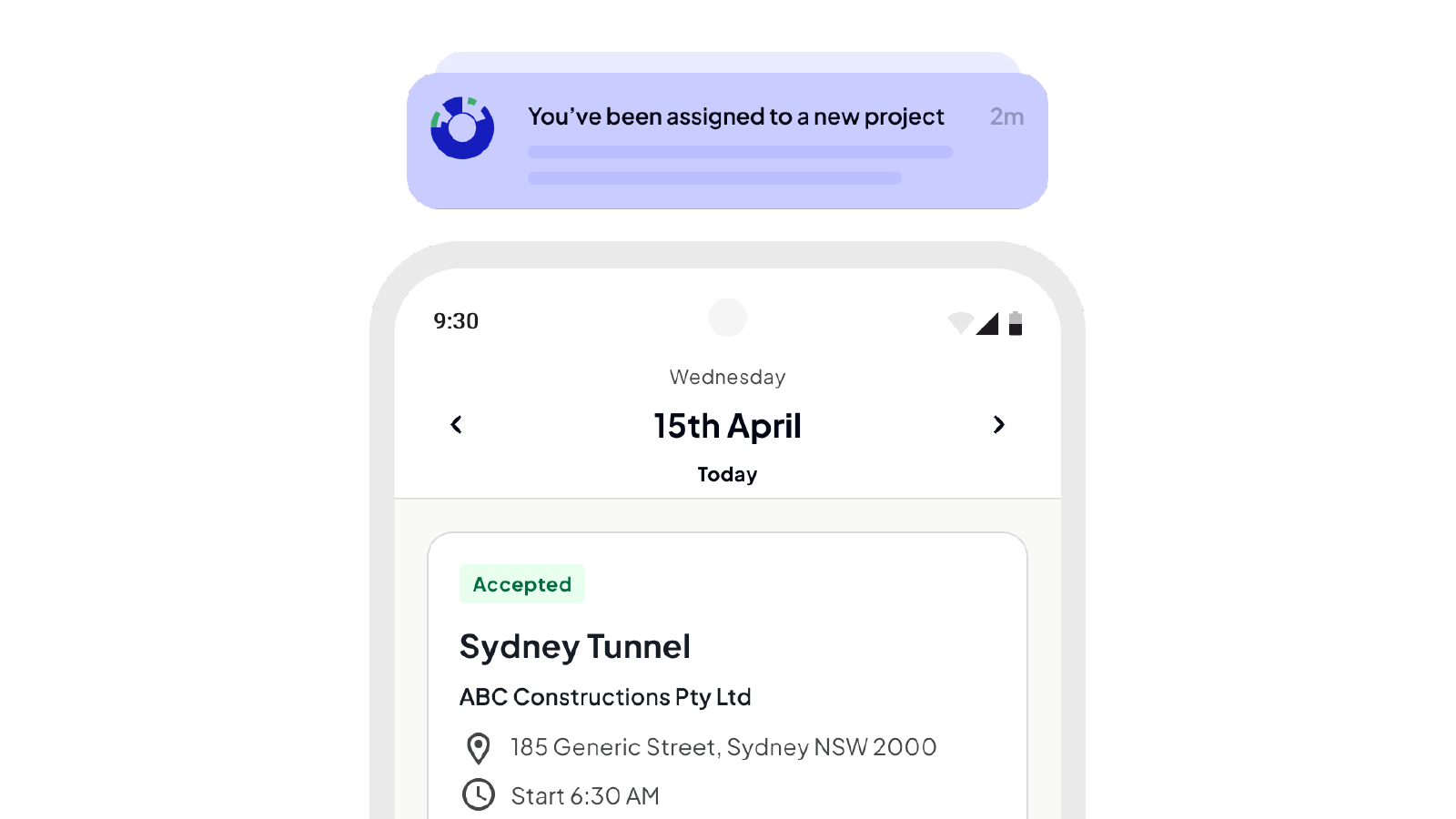
Crews know where to be and when
Crews are notified automatically with clear start times and locations, while the office sees responses in real‑time. Fewer calls, fewer messages and no confusion on the day.
See labour, availability and allocation
See active and upcoming projects, labour needs, availability and allocations in one live construction scheduling calendar. Decisions are made faster and without errors.
Daily logs, captured once
Timesheets, site diaries and forms are captured together, creating a single, reliable daily record that the office can rely on for payroll, visibility, reporting and compliance.

Neo connects every project from site to office
One platform. All your operations. A smarter, more profitable way to run your subcontracting business.
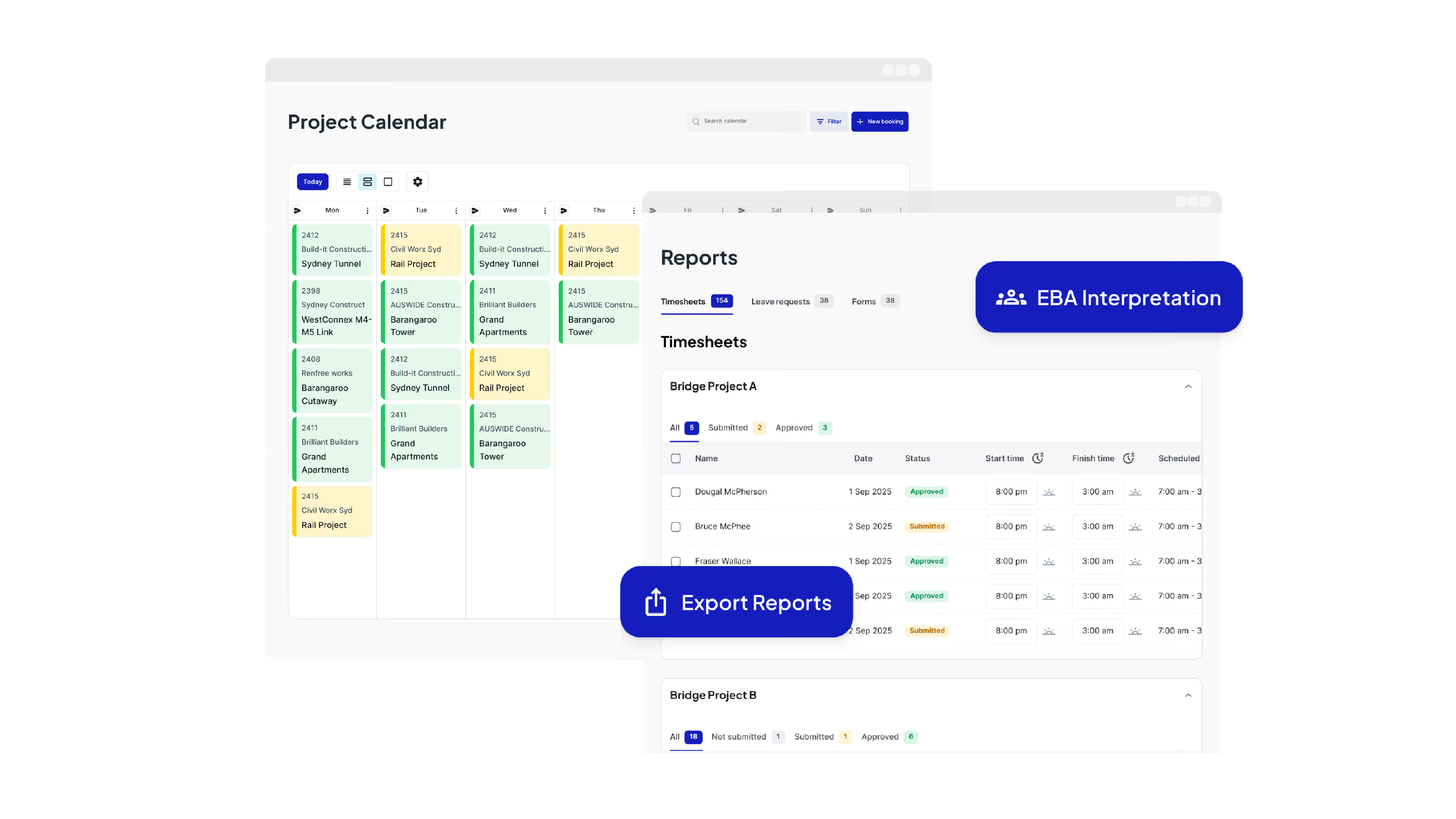
Run Your Operations from One Dashboard
Plan projects, schedule crews, manage compliance, approve timesheets, run payroll and oversee reporting all from one place.

Keep your crews connected and productive on site
Get schedules and project information, log and approve timesheets, capture site diaries and complete digital forms from your mobile phone.
Leading Australian subcontractors run their business with Neo.
How GVK Group reduced payroll processing by 90% and streamlined scheduling with Neo
See how GVK Group uses Neo construction management software to automate EBA payroll, scheduling and digital forms across large subcontractor teams.
Features

How Sambar Plumbing reduced scheduling time by 90% with Neo
Discover how Sambar Plumbing uses Neo construction management software to streamline scheduling, digital timesheets and site diary reporting.
Features

How C3 Construction Group reduced payroll processing by 80% and scheduling time by 50% with Neo
See how C3 Construction Group uses Neo construction management software to streamline payroll, scheduling and safety documentation.
Features

How SDC Group scaled their subcontractor operations without adding extra admin
Learn how SDC Group uses Neo construction management software to reduce admin workload and improve project coordination.
Features

How SG Formwork reduced payroll processing and resource allocation by 80% with Neo
Discover how SG Formwork uses Neo construction management software to streamline payroll, labour tracking and workforce visibility.
Features
How Neo’s construction software delivered a 50% reduction in admin time for BSECC
See how BSECC uses Neo construction management software to automate EBA payroll, improve scheduling and simplify site reporting.
Features
Frequently Asked Questions
Common questions about Neo Intelligence and how it works
Neo’s Project Calendar and Scheduling is construction scheduling software used to plan who is working, where they’re working and when. It provides a single, live view of all projects, showing which crews are assigned to each site, what work is scheduled for each day and what is coming up next. By keeping scheduling, crew assignment and project timelines in one place, it removes the need to juggle whiteboards, spreadsheets and messages.
Neo’s Project Calendar and Scheduling feature is purpose‑built project scheduling for Australian subcontractors, who are running multiple jobs at once, moving crews between sites and managing a mix of short jobs and long‑running projects. It is commonly used by subcontractors in trades such as concrete, formwork, steel fixing, post‑tension, civil construction, labour hire, plumbing and landscaping.
Project Scheduling in Neo allows you to plan daily jobs and long‑running projects using the same workflow. Jobs are scheduled by creating a booking for a day or date range, then assigning crews and equipment. Schedules can be updated at any time with changes reflected immediately, so the construction schedule never goes out of date. The office has full project calendar access across all jobs and crews see details about upcoming shifts.
When a shift is scheduled or changed, crews are notified automatically through the Field App where they accept or decline. If changes are made to the project, only the affected crew members are notified. Accepted shifts flow straight back into the schedule, reducing no‑shows, confusion and follow‑ups.
Neo supports two types of workflows: 1) Pre-allocation where office staff schedule staff to projects in advance, and 2) Self-allocation, more typical for crews who stay on projects longer like formwork and civil construction. Crews can self allocate to project bookings based on when they arrive on site.
Yes, scheduling and timesheets are fully connected within Neo. When office staff schedule fieldworkers through the Admin Console, those workers are instantly notified via the Neo App. They can view their assigned jobs and shifts in real time, with timesheets automatically linked to the scheduled project, so hours are recorded against the correct job without extra admin.
With manual processes, schedules go out of date fast, crews miss changes, double booking is easy and records live in different places. With construction scheduling software like Neo, schedule updates happen in real‑time, everyone sees the same information, crews are notified automatically and daily logs, timesheets and site records stay linked to the project. The result is less rework, fewer mistakes and complete visibility over productivity.
Most construction software platforms are built for head contractors or project managers. Neo is built specifically for subcontractors, with a focus on crew scheduling, labour accuracy, compliance and daily site records.
Unlike tools where scheduling operates in isolation, Neo’s Project Calendar connects projects, crews, equipment, shift communications, site diaries and payroll‑ready timesheets in one live workflow. Every change flows through automatically to crews on site and the office, reducing admin, lowering risk and protecting margins without stitching together multiple systems or paying for features you don’t need.
Neo’s construction scheduling reduces labour waste by preventing double‑booking, minimising idle time and cutting the hours spent developing and reworking schedules. Real‑time visibility means crews and equipment are allocated accurately, while daily logs reduce payroll errors, disputes and rework that erode your margins.
Ready to see an easier way to run your subcontracting business?
Get the clarity, accuracy and confidence you need to keep jobs and crews moving.