
Digital Timesheets
Know who’s on site, where and when
Capture time on site as work happens, review hours daily and run payroll with confidence. Construction timesheet software built for accurate labour records and audit‑ready reporting.

Trusted by small, medium and large subcontractors across Australia














Increase timesheet accuracy in real‑time
On‑site construction time tracking with daily approvals gives office teams a clear view of who is on site and when, so issues are identified early and payroll runs accurately and predictably.

Capture time as work happens
Time is recorded as work happens using digital check‑in and check‑out, creating a clear record of who was on site, when and where.
Multiple sign-in options
Crews can check‑in on site via multiple methods, including GPS location, QR codes or by entering their start and finish times via our construction timesheet app.

Review and approve hours daily
Supervisors review and submit timesheets from the field, so hours are checked early and issues are resolved before they reach the office.

Run payroll with confidence
Filter, review and export timesheets by project, worker or date. Approved hours flow into payroll without manual re‑entry.
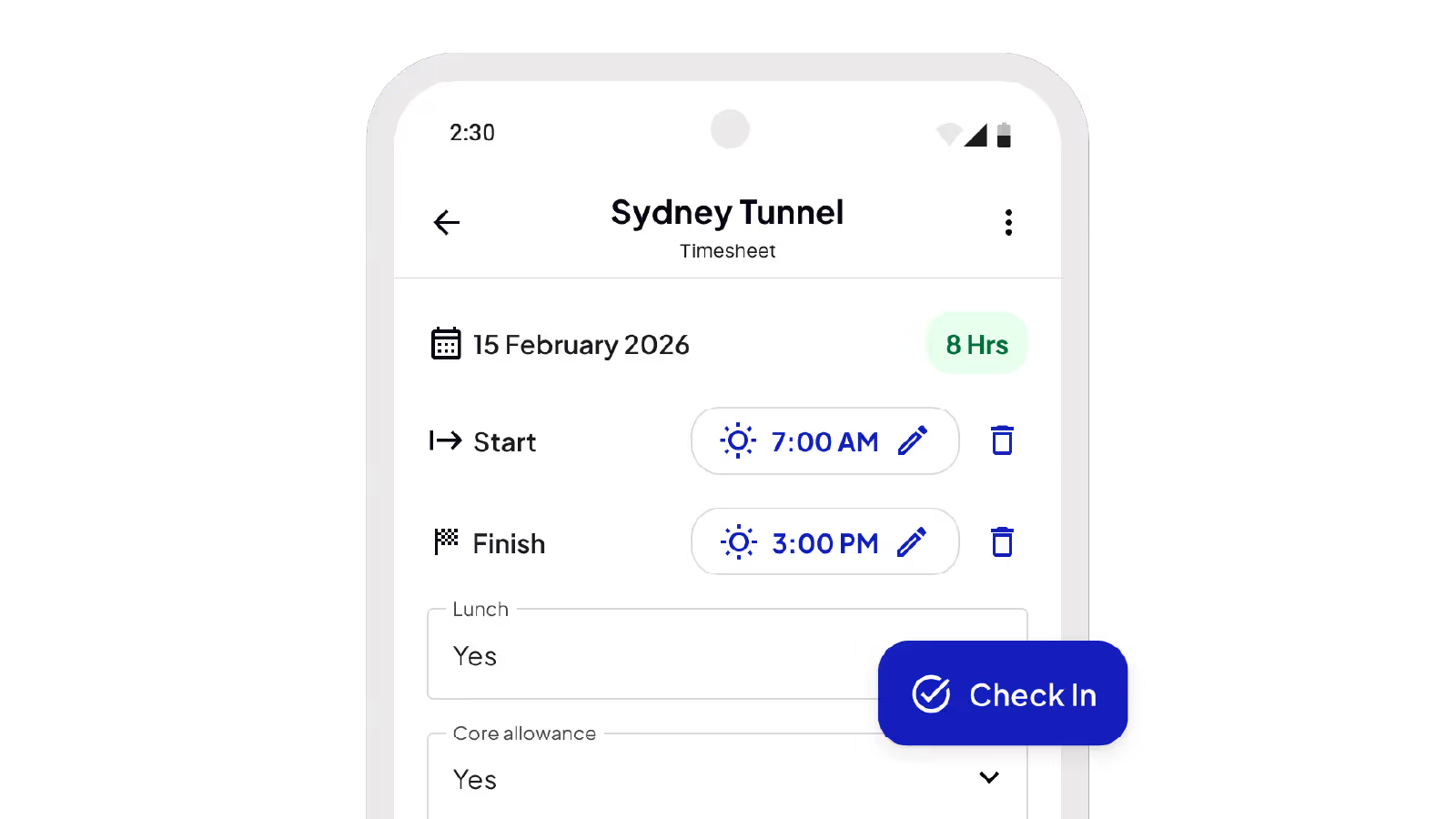
Clock in and out on site, no matter the conditions
Capture start and finish times from crews on‑site using GPS, QR codes or in‑app entry. Breaks, allowances and cost codes are recorded consistently against each job.
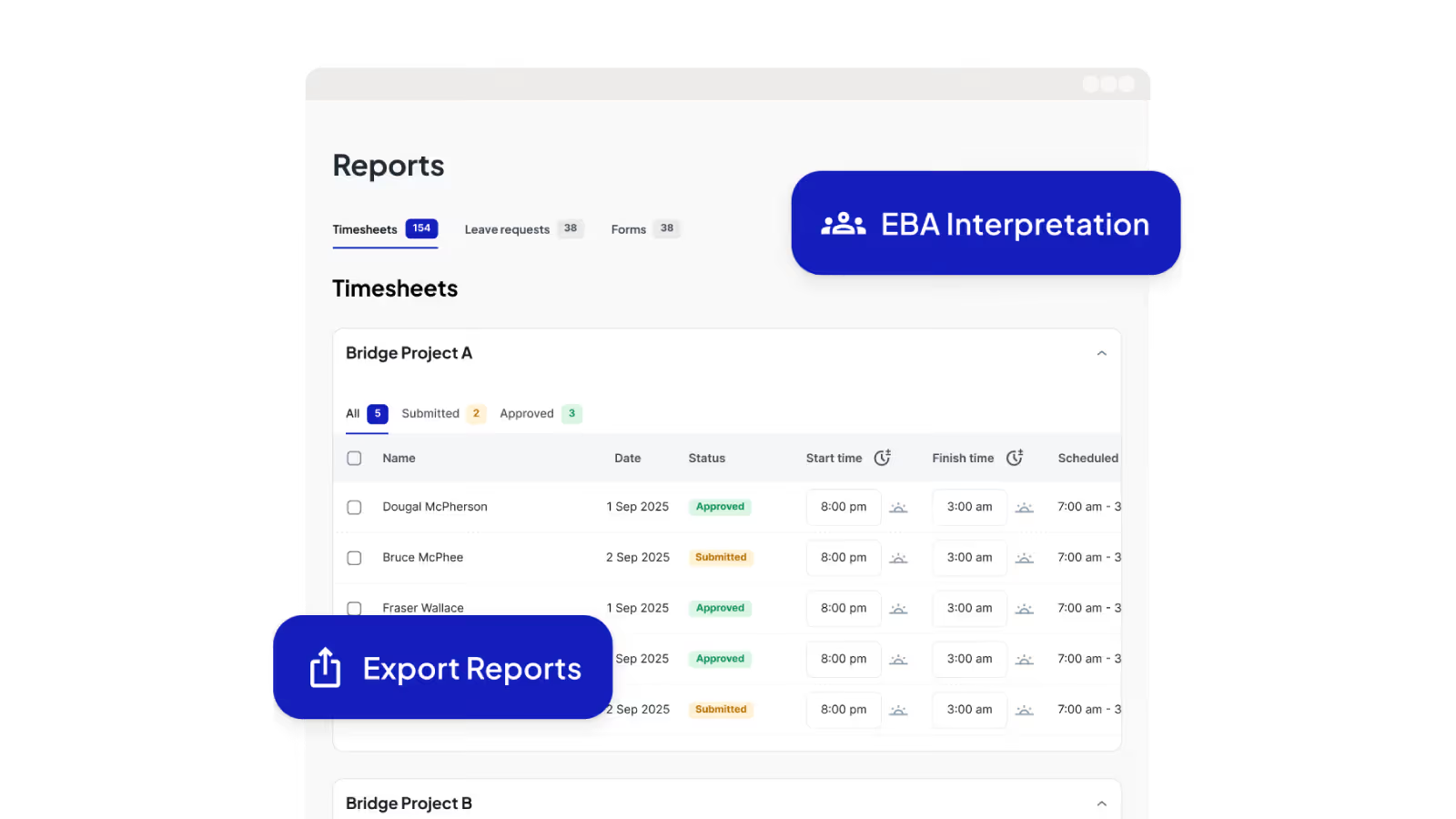
Approve hours and keep payroll clean
Supervisors review, edit and approve timesheets daily while on site – individually or in bulk. Office teams complete final checks before payroll, applying rounding rules and completing any missing fields.
Timesheets built around your business needs
Configure timesheet fields to capture exactly what your business requires (allowances, notes, areas, cost codes and project‑specific details) without forcing crews into fixed, generic timesheet fields.

Turn hours worked into payroll-ready data
Filter, review and export timesheets by date, project, worker or leave status. Generate payroll schedules, with EBA and company awards interpreted automatically.
Neo connects every project from site to office
One platform. All your operations. A smarter, more profitable way to run your subcontracting business.
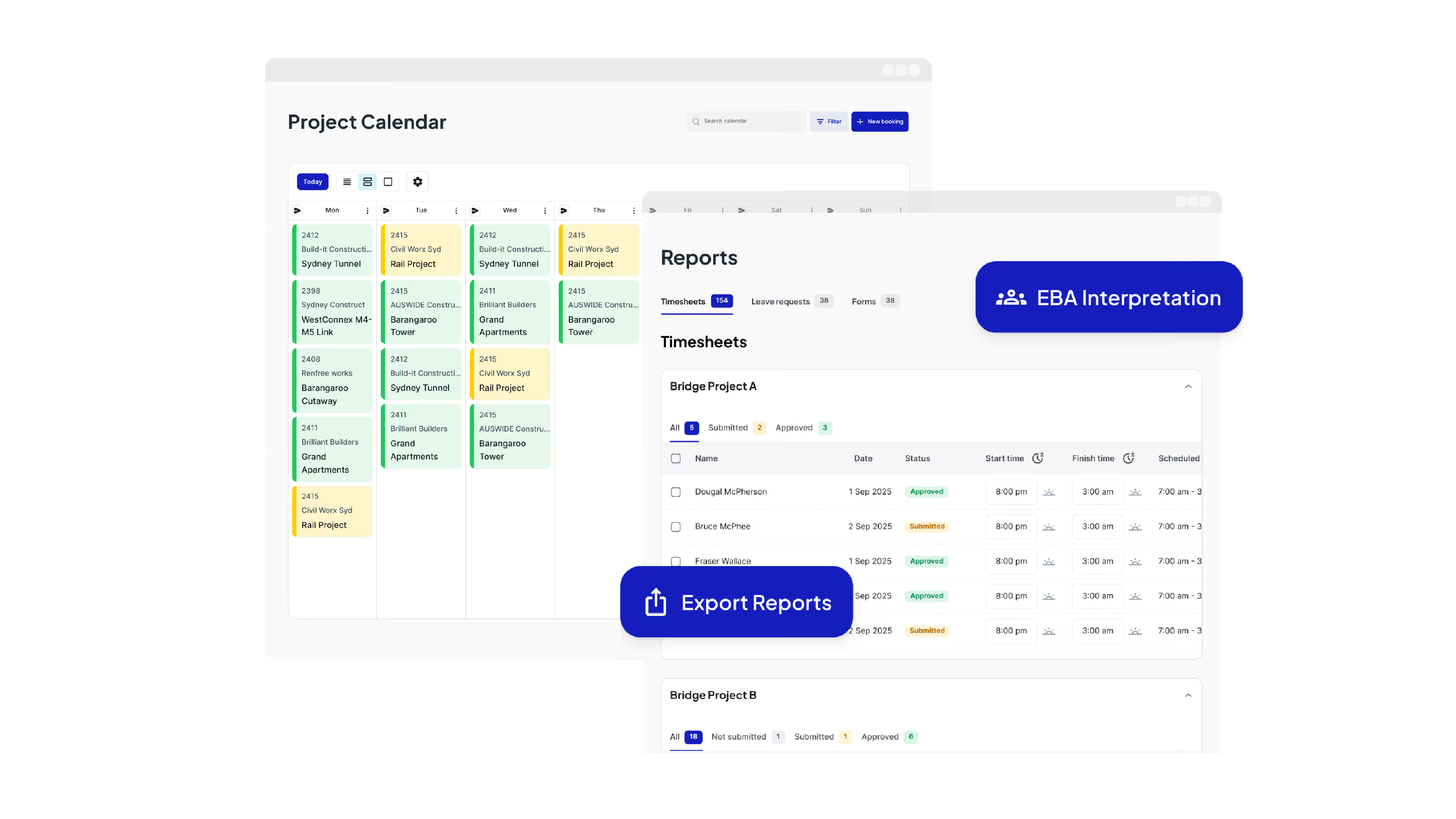
Run Your Operations from One Dashboard
Plan projects, schedule crews, manage compliance, approve timesheets, run payroll and oversee reporting all from one place.

Keep your crews connected and productive on site
Get schedules and project information, log and approve timesheets, capture site diaries and complete digital forms from your mobile phone.
Leading Australian subcontractors run their business with Neo.
How GVK Group reduced payroll processing by 90% and streamlined scheduling with Neo
See how GVK Group uses Neo construction management software to automate EBA payroll, scheduling and digital forms across large subcontractor teams.
Features

How Sambar Plumbing reduced scheduling time by 90% with Neo
Discover how Sambar Plumbing uses Neo construction management software to streamline scheduling, digital timesheets and site diary reporting.
Features

How C3 Construction Group reduced payroll processing by 80% and scheduling time by 50% with Neo
See how C3 Construction Group uses Neo construction management software to streamline payroll, scheduling and safety documentation.
Features

How SDC Group scaled their subcontractor operations without adding extra admin
Learn how SDC Group uses Neo construction management software to reduce admin workload and improve project coordination.
Features

How SG Formwork reduced payroll processing and resource allocation by 80% with Neo
Discover how SG Formwork uses Neo construction management software to streamline payroll, labour tracking and workforce visibility.
Features
How Neo’s construction software delivered a 50% reduction in admin time for BSECC
See how BSECC uses Neo construction management software to automate EBA payroll, improve scheduling and simplify site reporting.
Features
Frequently Asked Questions
Common questions about Neo Intelligence and how it works
Construction time tracking software records the hours fieldworkers spend on each job and turns them into payroll‑ready data. Neo’s Digital Timesheets is construction time tracking software built for subcontractors, sitting alongside scheduling, compliance and payroll in one platform rather than operating as a standalone tool.
Neo is used by subcontractors across trades and industries including concrete, formwork, steel fixing, post‑tension, civil construction, labour hire and other field‑heavy trades, especially businesses managing crews across multiple sites who need accurate labour tracking, connected crew profiles and compliance and faster payroll processing.
Just their mobile phones. Crews clock in and out through the Neo Field App on their own devices, with no extra hardware or site kiosks required, and hours sync straight through to the office as they’re recorded.
Scheduled shifts from project scheduling flow into timesheets, and once approved, timesheet data is used to prepare payroll. This creates one connected workflow from scheduling to payroll, reducing double handling and improving accuracy.
Crews record their hours on site using their mobile phones. Supervisors review and submit timesheets daily from the field, and the office team completes final checks before payroll, with every hour stored against the correct project, worker and cost codes in one platform.
Instead of a paper trail that relies on manual updates, re‑entry and chasing information, Neo captures time directly from the field, applies approvals daily and produces payroll‑ready data that reduces errors, delays and admin.
Most construction time tracking platforms are built for contractors or project managers. Neo is built specifically for subcontractors and reflects how they actually work, with multiple crews, multiple sites and daily changes, so there’s no need to stitch together multiple tools or force fieldworkers into workflows designed for someone else.
A paper trail relies on manual updates, re‑entry and chasing information. Neo captures time directly from the field, applies approvals daily and produces payroll‑ready data that reduces errors, delays and admin.
By eliminating paper, reducing errors and cutting double handling, Neo helps businesses run payroll faster, prevent overpayments and reduce admin time, protecting margins while improving visibility across every job.
Ready to see an easier way to run your subcontracting business?
Get the clarity, accuracy and confidence you need to keep jobs and crews moving.