
Subcontractor scheduling vs head contractor scheduling: what is the difference?

Key Takeaways
- Head contractor scheduling tools (MS Project, Primavera, Procore planning) are built for 12 to 36-month project planning using Gantt charts and the critical path method. Subcontractor scheduling tools are built for the daily reality of allocating fieldworkers and equipment to jobs and getting that shift information to crews on site.
- Both schedules coexist on every construction project. The head contract sets the master milestones and trade sequencing. The subcontractor schedule turns those trade-level commitments into the daily operational view the crew actually runs off.
- Four things separate construction scheduling software that works from software that fights you: speed of change, reach to the crew in the field, equipment scheduled alongside people and a clean handoff into the downstream timesheet and payroll workflow.
- Generic project management software (Asana, Trello, Monday, ClickUp) cannot fill the gap because it lacks construction-specific data like crew certifications, equipment bookings, site diary entries and the downstream timesheet to payroll flow. The construction scheduling tool that replaces the whiteboard has to replace the spreadsheet too.
Head contractor scheduling software and subcontractor scheduling software solve completely different problems. Head contractor tools manage long-range projects and plan months ahead, while subcontractors need software that runs crews day-to-day. Pick the wrong one and you’ll spend your day fighting the software instead of getting work done.
What is head contractor scheduling software built to do?
Head contractors plan long. A typical construction project runs 12 to 36 months. For the project managers coordinating it, there are hundreds of project tasks, thousands of task dependencies, multiple trades and subcontractors, approvals, procurement, resource planning and client handovers.
The job is enormous, which is why head contractor software leans on long-range techniques: the critical path method (CPM), Gantt charts, PERT and detailed work breakdown structures. That is the right tool for the job. Building construction project schedules that span 24 months is exactly what Gantt charts and CPM were designed for. The problem starts when a subcontractor uses the same tool to run a crew.
How head contractor scheduling software handles large projects
Microsoft Project and Primavera excel at large projects with deep trade sequencing, multiple projects rolling up to a program view and resource planning across years of construction work. Budget management, schedule management and baseline comparison are the bread and butter of construction planning at the program level.
For construction businesses running as head contractors, these are the right platforms. A head contractor PM lives in Gantt charts, and construction project scheduling is a long exercise in keeping the critical path honest.
What do subcontractors actually need from scheduling software?
Subcontractors do not need to plan the full project scope 24 months in advance. The head contractor already has. What subcontractors need is a scheduling platform that answers a different set of questions, every day, across every active construction site they are on.
Who is on site tomorrow? What time do they start? What are they qualified to do? Do they have the site access information they need? Is the right equipment scheduled to the right job? Is the correct operator allocated to the right equipment? Did the crew complete the site diary today?
These are operational questions, not long-range project planning questions. They are asked daily and compound if wrong. A mis-booked crew on Tuesday costs money on Tuesday. A missed shift on Friday slides into next week as a missing timesheet, then a payroll headache the following Thursday.
Head contractor software is not built to make those questions easy. It is built to make the 24-month view readable.
The features of construction scheduling software that subcontractors actually use
A purpose-built construction scheduling tool should give subcontractors a daily or weekly calendar view for crew and equipment allocation, a web-based board view for those in the office and mobile access for foremen and crews in the field.
The small things matter too. Schedule activities tied to a specific job. The ability to track resources, not just people. A live project schedule that reflects what is actually happening on site today, not what was planned a month ago. An accurate schedule the crew can trust, and a support team at the vendor who answers the phone when it doesn’t.
The altitudes of head contract and subcontractor schedules
Head contractor scheduling and subcontractor scheduling are not in competition. They run at different altitudes. Both are needed on any construction project of any size.
The head contractor’s schedule is the master plan. It sets the major project milestones, sequences the trades, locks in dependencies, books long-lead procurement and lays out the critical path method (CPM) view that keeps the whole thing pointed at project completion.
It is a 12 to 36 month document that answers strategic questions: can we pour on this date, will the structural steel land in time for fit-out, where are the slippage risks across the project timeline? That is the work Primavera, MS Project and the planning modules inside Procore were built for, and they do it well.
The subcontractor schedule sits inside that master plan. It takes the trade-level commitments made on the head contract, the floor-by-floor pour dates, the two-week window for formwork, the mandated start time for a concrete placement, and turns them into the daily operational view the crew actually runs off. Who is on what crew, what equipment is with them, what hours are estimated, what gets captured in the daily site diary.
The handover is where the two schedules have to meet. The subcontractor needs to read the head contract plan to know when project milestones fall and which weeks are locked.
What four things matter most in subcontractor scheduling software?
When you strip back the feature lists, subcontractor scheduling platforms live or die on four things.
Speed of change
Crews shift, jobs slip, weather changes. Reassigning a shift should be drag-and-drop functionality, not a meeting.
If it takes a phone call plus a spreadsheet edit plus a group text every time a fieldworker calls in sick, takes leave or a job needs an extra pair of hands for the day, the scheduling platform is slowing the business down rather than speeding it up. Moving whole crews between sites does happen, usually when progress slips or another trade holds things up, but the daily reality is shuffling individuals. That is why leave management now sits inside Neo too, so the same system that builds the schedule also tracks who is actually available to work it.
Reach to the crew in the field
If the office makes a change and the field does not know about it, the change did not happen. The gap between office and field teams must close automatically, without a follow-up text. Mobile access is not optional.
A fieldworker should open the app and see exactly where they are working, what time, what gear they have and what the day looks like for them.
Equipment scheduled alongside crew
Resource management is the whole story, not half of it. If equipment lives in a separate system from crew, double-bookings are only a matter of time, and the subcontractor ends up paying for idle plant while a second crew waits for it on another site.
A clean handoff into timesheets and payroll
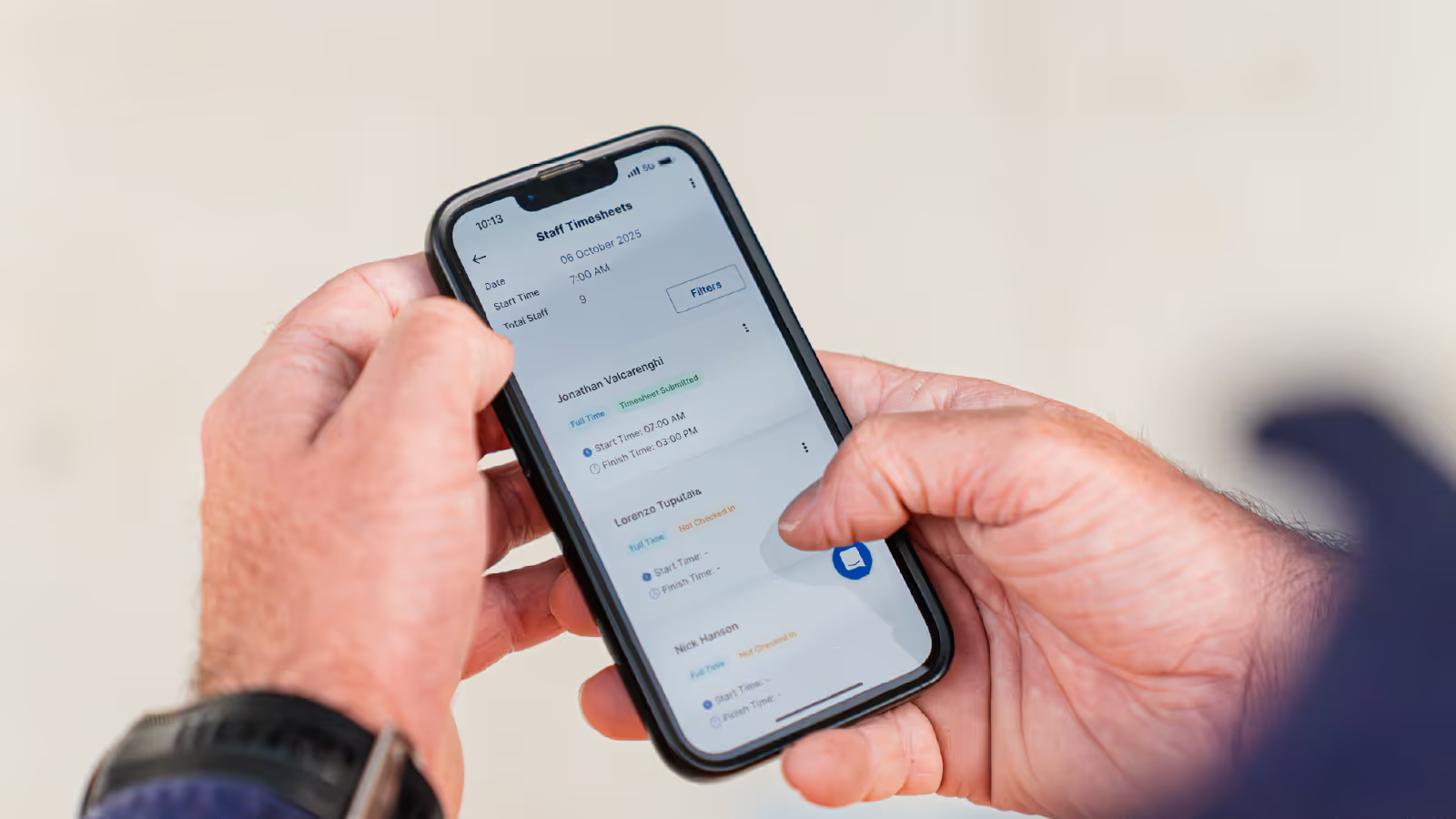
Strictly speaking, scheduling ends when the crew sees their shift on the field app. What happens next is its own workflow. Crews check in when they arrive on site, that becomes the start of their timesheet. They check out at the end of the day. The supervisor approves the shift, the office approves it again and the hours land in payroll.
None of that is scheduling. But all of it depends on the schedule being right in the first place, and all of it benefits from sitting on the same platform. Every manual handover between scheduling, timesheets and payroll is a place where money leaks. Every Friday afternoon spent chasing hours is a week the office is not spending on quoting the next job.
Most generic head contractor software is weak on all four. That is not a flaw. It is a different job.
Why doesn’t generic project management software bridge the gap?
The obvious question is whether general-purpose project management software, such as Asana, Trello, Monday or ClickUp, can sit between the two. The answer is almost always no, for the same reason those tools fail subcontractors on their own.
They do not carry the construction-specific data a trade business runs on. Shift allocation and notification, crew compliance, equipment bookings, site diary entries, payroll integration and EBA interpretation.
A task in Asana can be assigned to a person with a due date, but it cannot tell you if the person is already booked on another job, the equipment is on another site or the hours will not reconcile against the project estimates.
The workaround is to run a general tool alongside a spreadsheet of crew availability and a second spreadsheet of equipment bookings, then back-fill timesheets from texts. At which point the subcontractor is back where they started with the DIY toolkit, just with a prettier front end. Double handling creeps back in.
The construction scheduling tool that replaces the whiteboard has to replace the spreadsheet too. That is why subcontractor scheduling software is a category of its own in the construction industry.
Why task management tools fall short on site
Task management platforms are built around assigned tasks and workflows, not the daily reality of a construction site. They treat crew as interchangeable resources, specific tasks as standalone items and project tasks as rows in a list. A construction project does not behave like that.
Crew members come with certifications, equipment and preferred crews attached. All the tools in the world cannot paper over that gap. Even with customisable workflows and extra add-ons, generic project management software never quite gets construction scheduling right. It can manage jobs that look like software delivery. It cannot manage jobs that live on a construction site with plant, weather and award pay rates attached.
Why does purpose-built matter for subcontractors?
Purpose-built is not a marketing term when it is honest. It means the default workflows match the way the business actually runs, rather than the way the vendor wishes it ran.
For subcontractors, that means the main screen is a live project schedule, not a Gantt chart. It means the field app is the primary interface for crew, not a bolt-on. It means daily logs, timesheets and site forms share a single record, so the office is not retyping data every Friday.
If the software assumes a head contractor project structure and asks you to adapt your business to fit it, that is the first sign it is the wrong tool. The best scheduling software, and the best construction scheduling software in particular, meets subcontractors where they already are.
What construction scheduling software means for day-to-day work
When the same platform covers scheduling, timesheets, daily logs and payroll, the office saves time and the field keeps working.
The crew stay focused on the job, not on reconciling four systems. When the construction scheduling tool is generic and everything has to be stitched together, the office loses Friday afternoons and the field loses clarity on the week ahead.
Which trades benefit most from subcontractor-specific software?
The pattern is clearest for subcontractors who coordinate multiple crews across multiple projects at once, with serious equipment and serious payroll exposure. The larger the crew and the more construction project schedules running in parallel, the bigger the gap between DIY scheduling and purpose-built.
In practice that covers most of the trades we see on Australian construction sites:
- Concrete placement, concrete pumping, formwork and post-tension: High labour cost, high equipment dependency on pumps, screeds and boom lifts, tight weather-driven timing. A single double-booked pump wipes a week of margin on a mid-sized construction project.
- Structural and reinforcing steel: Lead times on materials, dependency on lift schedules, heavy crew coordination with other trades on the deck and a project timeline that tolerates almost no slippage.
- Civil construction: Plant-heavy, weather-sensitive, often working across multiple sites with fluctuating crew sizes and changing project scope from week to week.
- Plumbing and electrical: Multi-site with crews moving in and out of fit-out in quick rotations that are hard to track on a shared spreadsheet.
- Labour hire: The business model is scheduling. If you cannot see who is available across client sites in real time, you cannot quote the next job or bill accurately against the last.
- Landscaping and final-trade fit-out: Compressed timelines late in a construction project, where a missed day slides project completion and triggers handover delays across multiple following trades.
The common thread is not the trade itself. It is the shape of the business: multiple crews, multiple sites, real equipment, real payroll. When any of those get heavy, purpose-built subcontractor scheduling software earns its keep quickly, often inside the first payroll cycle after go-live.
How construction businesses measure the return on construction scheduling software
Subcontractor construction businesses measure the return in two places. First, hours saved in the office on scheduling and the downstream payroll workflow. Second, margin recovered on jobs because project activities stay on plan, equipment is not double-booked and crew certifications are current. The annual cost of a good platform is less than one mis-scheduled week on a single construction project.
How should subcontractors test scheduling software on the way in?
Next time you sit through a demo, ask three questions. Show me how I reassign a crew on Monday morning. Show me what happens when a fieldworker calls in sick at 6am. Show me how those hours end up in payroll on Friday.
If the answer involves re-keying data or training the crew on a desktop interface, the software is built for someone else. A good pressure test is to ask how the tool handles an unhappy Wednesday. A pour gets pushed, two crew members call in sick, a pump is late and a third site needs coverage. A tool built for construction scheduling reshuffles crew and equipment in minutes and notifies the field through the app. A tool built for something else asks the office to do it three times in three systems.
Questions to ask on a demo or pricing page
Before you get anywhere near a pricing page, ask the vendor to walk through the exact needs of a subcontractor business. Drag-and-drop functionality the office can actually use without training. Schedule management that handles last-minute changes. A field app the crew already understand on their own phone. A clean handoff into timesheets and payroll once the shift is done.
If the demo feels like a head contractor product dressed up for a subcontractor audience, it probably is. Neo is built for subcontractors, not head contractors. One live project schedule, drag-and-drop scheduling, a field app that works on any modern phone and daily logs that flow straight into payroll. Subcontractors using Neo typically cut scheduling time by 50 to 90% and reduce payroll processing by up to 90%.
What defines the best construction project scheduling software for a subcontractor?
Most subcontractor operations managers evaluating construction project scheduling software quickly learn that the label on the tin matters less than the feel in daily use. The best construction scheduling software for a subcontractor has a handful of shared traits. Cloud-based deployment so the office and field see the same data. A drag-and-drop schedule that matches the way work actually moves between the office and crews on site. Timesheets that roll straight into payroll without re-keying.
It also has task assignments that respect certifications and equipment, not just calendar slots. It surfaces project budgets beside the schedule so decisions made on Tuesday are informed by Monday’s numbers.
A cloud-based platform means no server in the office and no VPN for the field. Crews log in from site, and the subcontractor saves time every week that used to go on reconciling copies.
How construction project scheduling software pays for itself
Most subcontractors recover the cost of construction project scheduling software in the first or second payroll cycle. Scheduled hours flow through to payroll without re-keying. Timesheets on the field app capture exactly what the crew worked. The office stops hunting for signed timesheets on Friday afternoon.
The numbers add up fast once you tally where the time is going. A manager spending a couple of hours every day allocating work and notifying crews is $30k to $90k a year in salary cost. Payroll staff manually calculating EBA rates and reconciling timesheets a few days a week is another $25k to $40k. The work that gets done but somehow never makes it onto an invoice can quietly drain up to $50k in revenue a year. Set that against subcontractor ops software at $15k to $20k annually and the maths is hard to argue with.
A second line of payback comes from equipment utilisation. When plant is scheduled alongside crew in a single platform, double-bookings drop, idle time falls and the annual cost of the software is dwarfed by the saved plant hire.
Seamless integration with the rest of the stack
The right construction scheduling tool does not try to be the whole stack. Seamless integration with accounting, payroll and job costing is the goal.
Subcontractor offices already use Xero, MYOB, QuickBooks or a trade-specific job costing tool. The scheduling platform has to sit alongside them and pass data cleanly, not force a rip-and-replace.
Good construction planning sits at the intersection of sales, scheduling and delivery. Quotes turn into jobs, jobs turn into scheduled crew and equipment, scheduled hours turn into payroll. The platform that closes that loop is the platform that earns its monthly subscription.
Why crews care about the interface of a collaborative platform
Crews are not sitting at a desk. They are in a ute, on a deck, in a tunnel. A collaborative platform only works if it works on a phone. The office can assign tasks, the field sees upcoming work and nobody has to chase confirmation through a group text.
The interface decides whether the tool gets used or quietly abandoned. If a foreman can find today’s crew list and equipment booking in two taps, the platform lives. If they cannot, the whiteboard comes back out within a week.
Construction Scheduling Software FAQs
Can subcontractor scheduling software run alongside the head contractor’s tool, or does it have to replace it?
It runs alongside. The head contractor keeps Primavera, MS Project or Procore for the master plan. The subcontractor runs their own platform for daily crew operations.
The two only need to meet at the handover points: locked weeks, milestone dates and confirmation that the crew will be on site. A weekly PDF export from the subcontractor schedule keeps the head contractor informed without either party logging into the other system.
How long does it take to roll out subcontractor scheduling software to a crew already running off whiteboards and spreadsheets?
Most subcontractors are operational in as little as four weeks. The office side, importing crew lists, equipment registers and active jobs, takes a few days.
The field side, getting crew comfortable with the app on their phones, happens during the first scheduling cycle. The payoff shows up in the first or second payroll run, when hours flow through without the Friday afternoon chase.
Is subcontractor scheduling software worth it for a small crew of three or four?
The break-even is less about headcount and more about complexity. A four-person crew on one construction site for six months can probably run off a shared calendar. The same four people across three clients, with two utes, a trailer and a small plant register, will lose hours to coordination every week. The annual cost of the software is usually less than the cost of one mis-scheduled day per month, which most small crews already absorb without measuring it.
How do subcontractor scheduling platforms handle compliance, inductions and safety record-keeping?
Crew certifications, white card expiries, site inductions and sign-offs sit against the crew member’s profile. The platform flags when someone is scheduled to a site they are not inducted for, or when a ticket is about to expire.
Daily site diary entries, toolbox talks and incident reports are captured in the field app and timestamped against the job, which keeps the audit trail intact without anyone having to hunt down a paper folder six months later.
What is the digital nature of modern construction scheduling software?
The digital nature of modern construction scheduling software is simple on the surface and deep underneath. Schedule activities, site diary entries, timesheets, equipment bookings and compliance records live in one platform.
Office and crew collaboration happens on the same page the work is scheduled from. Progress reports generate automatically rather than being assembled manually, and customer communication is tied to the job rather than scattered across inboxes.

Frequently Asked Questions
Construction management software for subcontractors is software that helps subcontracting businesses manage crews, schedules, labour hours, compliance requirements and site documentation across multiple projects. It is designed for labour-intensive, site-based work and supports payroll accuracy, EBA and award compliance and the records needed to verify work performed.
Neo is subcontractor operations software built to solve common problems around managing crews, labour hours, compliance requirements and site records across multiple projects. Disconnected schedules, manual timesheets, payroll errors and missing site records lead to rework, disputes and margin leakage. Neo replaces fragmented processes with a single platform that keeps labour data, site activity and compliance aligned across every job.
Neo is subcontractor software used by construction businesses managing crews across multiple sites and projects. This includes a wide range of labour‑intensive, field‑based trades, such as concrete placement, concrete pumping, formwork, steel fixing, civil construction and labour hire, that rely on accurate crew scheduling, labour tracking, site documentation and EBA or award compliance to run their business efficiently
Neo is built for subcontractors of different sizes that manage crews across multiple projects. The subcontractor operations software supports both growing teams and larger subcontracting businesses, scaling as workforce size, project count and operational complexity increase.
Spreadsheets and whiteboards rely on manual updates and are often out of date, leading to missed changes, double booking and fragmented records. Neo is subcontractor software that provides real‑time scheduling, automated crew notifications, linked timesheets and site records in a single platform, ensuring crews in the field and teams in the office work from the same up‑to‑date information.
Neo subcontractor software pricing is structured around packages that scale with your business. Costs depend on factors like workforce size and operational needs, ensuring subcontractors only pay for what they use. A demo is the best way to understand which package fits your business and expected ROI.
Other Blogs

Our guide to construction timesheets for subcontractors
The hidden cost of paper timesheets on site
How to build a labour estimate you can actually track against
Ready to see an easier way to run your subcontracting business?
Get the clarity, accuracy and confidence you need to keep jobs and crews moving.