
Subcontractor scheduling: why DIY tools stop scaling

Key Takeaways
- Once a subcontractor business passes roughly 20 crew and two or three live projects, whiteboards, spreadsheets and group chats each start to break in their own way. The real problem is that none of them talk to each other.
- Generic project management software (Asana, Trello, Monday, ClickUp, Notion) is sharper than the DIY toolkit but was built for knowledge-work teams, so it cannot distinguish a person from a pump or a task from a shift.
- Purpose-built subcontractor scheduling software replaces disconnected tools with one live source of truth, giving crews full visibility over where they need to be and when, supervisors a clear view of which crews are on which sites and the office a noticeable cut in admin time.
- A rollout for a 20 to 50 crew business usually takes about four weeks, with benefits compounding as the office, supervisors and crews settle into the new rhythm rather than landing all at once.
Most subcontractors outgrow whiteboards, spreadsheets and group chats once they pass roughly 20 crew, two or three live construction projects and a client who keeps moving start dates. The DIY project management toolkit does not fail in one loud way. It fails slowly, across all the tools at once, until the office is the human glue between them, typing and retyping project data and scheduling details from one screen to the next instead of running the scheduling process as a clean workflow.
In short. Whiteboards, spreadsheets and group chats work for smaller subcontractor businesses. As crew numbers grow, project scope expands and the work spreads across multiple sites, each of these scheduling tools starts to break in its own way.
The real problem is that the tools do not talk to each other, which is why a Monday reshuffle turns into a morning of phone calls, missed job schedule updates and scheduling conflicts nobody caught. Purpose-built subcontractor scheduling software consolidates the three into one live view for the office and the crews, with one job schedule, one equipment list, one control point for documents and one set of tasks that everyone works from.
Why does the whiteboard fail first?
Whiteboards are honest. You see the week at a glance, a photo on your phone sends the plan to crews that need it, and nobody has to learn new software. No learning curve, no pricing page, no training spend, no complex workflows.
They also fail silently. The only version of the schedule lives in one room, which means any change made outside that room does not make it back to the board. The reverse is just as risky. An update made on the board, or a flurry of quick swaps during the day, often never makes it out to the crews if the text or photo gets missed. The office updates one crew and forgets another.
Someone wipes a line and the original booking is gone. The board is always slightly out of date, and the gap between what is on it and what is actually happening on site grows every week. The whiteboard cannot track job progress, track costs against a budget or give project managers an accurate schedule to plan tomorrow from.
Why do shared spreadsheets fall apart?
A shared spreadsheet feels like an upgrade. You can sort, filter, colour-code the project schedule and send a copy to the site supervisor on any construction project, or drop a link to a leading hand on site.
Then someone copies the tab for a different view. Another person opens it in Excel instead of Google Sheets and saves a local version. A leading hand on site has yesterday’s copy on their phone, three hours out of date. Now there are four versions and nobody is sure which one is live. The spreadsheet becomes the thing you argue about on Monday morning, not the thing that runs the week.
Worse, manual data entry means crew records, equipment lists, client invoices, project details and project documents quietly drift apart, with no clean way to track resources across multiple projects or to create an accurate view of where each job, each cost and each task actually sits.
When do group chats stop working?
Group chats move fast, which is the point. The problem is that everything moves at the same speed. A safety toolbox on Tuesday sits next to a change to Friday’s schedule sits next to a photo of someone’s dog. By Friday, nobody can find the shift update from Monday, the plan for the concrete pour or the photo of the job site from that morning.
Scaling makes it worse. One chat works. Three chats, one per project, are manageable. Twelve chats, cross-cutting by crew, project and trade, stop being a communication channel and start being a second job for anyone trying to manage crews, foremen and site operations across multiple projects. The information flow stops being in their control, and tasks, task updates and daily tasks that should have a clear owner get buried under the next photo.
What about generic project management software?
Most subcontractors who outgrow the whiteboard, the spreadsheet and the group chat look at generic project management software first. Asana, Trello, Monday, ClickUp, Notion. They are sharper than the DIY toolkit and handle a lot of what a trade business needs: assign tasks, set due dates, mobile access, an easy interface, Gantt charts and time tracking. The pricing page is approachable, the learning curve is gentle and the office can spin something up in an afternoon.
But, they also don’t speak construction. A task in Asana is not a shift, so you cannot tell what hours land on payroll or what billable hours belong to which construction project. A board in Trello is not a project calendar, so double-bookings stay invisible. A Monday dashboard does not distinguish a person from a concrete pump, so the same gear booked on two jobs goes unnoticed.
Gantt charts on generic tools do not know about crew availability, qualifications or compliance status. The mental model was built for knowledge-work teams and general contractors managing knowledge tasks, not subcontractors coordinating crews across live construction sites.
The translation cost adds up. Crew availability, equipment, timesheets and job costs all live outside the tool, so time tracking is done twice and the back end of the workflow still runs the long way. The tool is good at what it does. It just does not do subcontractor scheduling, which is why the right tool is usually a dedicated construction scheduling tool or purpose-built construction management software, not an adapted knowledge-work platform.
Why is the combination the real problem?
Each tool, on its own, is fine. The whiteboard is fine. The spreadsheet is fine. The chat is fine.
The problem is what happens between them. A change made in the chat does not update the spreadsheet. The spreadsheet does not update the whiteboard. The whiteboard cannot push a notification to a leading hand’s phone. The office ends up as the human glue between three tools that do not talk to each other, which is the opposite of clean project management, and it is why the morning ring-around exists in the first place.
Double that when equipment enters the picture. Resource allocation is not just people, it is resource management for the whole site: crew, plant, vehicles and the tools each job needs. A concrete pump, a screed, a vehicle, a set of tools. Each one is scheduled somewhere different, and the moment two jobs want the same gear at the same time, nobody knows until the crew turns up.
The same gap hits compliance paperwork, quality inspections and safety document sign-offs. They live in the wrong tool, so site operations grind to catch up and the office cannot complete a clean handover at the end of the day.
What replaces the DIY toolkit?
The alternative is not more scheduling tools. It is one source of truth. The plan, the crew, the equipment and the hours in one place, so the office and the crews are working off the same job schedule, the same documents and the same costs. The right construction scheduling platform lets subcontractors create, assign tasks and track tasks against a single plan.
One live project schedule that office and field share. Changes that push to the right phones when they are saved. Equipment booked in the same place as the crew, so double-bookings and scheduling conflicts surface early. Hours captured on the phone against the scheduled job, ready for the timesheet workflow that feeds payroll, instead of being retyped from a shoebox of dockets. Daily records, photos, variations, client invoices, quality checks and compliance documents that sit against the construction project they belong to.
Subcontractors that make this shift typically cut scheduling time by 50 to 90%, with downstream wins like payroll processing dropping by up to 90% once timesheets flow through the same platform. The gain is not the calendar itself, it is the hours you stop spending moving information between tools and chasing crews.
The other gain is confidence, and it shows up in two places. First, crew confidence and satisfaction. Because the weekly schedule lands well ahead of time, crews know where they’re going, what time they need to be on site and what’s expected of them. No more notifications a few hours before a shift, they get the plan way ahead of the game.
Second, business confidence, which flows directly from that crew confidence and from trust in the data itself. When the job schedule, the timesheets and the equipment plan all agree, the business can make informed decisions about which projects to take on, how to manage jobs already in flight and where the real budget and cost pressure sit. That is what a fully integrated system delivers: a live plan, real resource management and a clear line of sight from the site back to the office.
What does the transition actually look like?
Two things hold subcontractors back from making the switch. The first is the fear of a bumpy migration. Moving off three tools at once, with crews on site and payroll due Friday, feels risky. The second is more subtle. They have run the business this way for years and “fine” feels safer than change. The catch is that “fine” rarely lasts and almost never scales, especially as crew numbers climb and projects start overlapping.
The transition is almost always smaller than it looks, and a decent vendor’s customer support team does most of the heavy lifting, from data migration and access provisioning to walking the office and crews through the first scheduling cycle.
A typical rollout for a subcontractor running 20 to 50 crew covers about four weeks. Week one is kickoff and planning. The onboarding team takes the handover, timelines get locked in and expectations are aligned on both sides so everyone knows what success looks like. Week two is platform and app setup for the specific customer and use case.
Different builders want different sets of features, so configuration enables or disables what’s relevant, followed by foundational training on the platform. Week three goes deeper, with training on particular features like site forms, site diaries and scheduling. Week four covers the intricacies, scheduling crews and equipment, approving daily logs and the day to day rhythms that turn the platform into business as usual.
When is it time to move on?
You do not need to be a large business to make the switch. You just need to have watched enough construction projects drift between kickoff and project completion to know the pain will not fix itself. If the Monday reshuffle, the misplaced equipment and the timesheets that never match keep showing up, the tools are not at fault. They are just past their use-by date, and no amount of scheduling discipline on top of them will turn them into proper scheduling software.
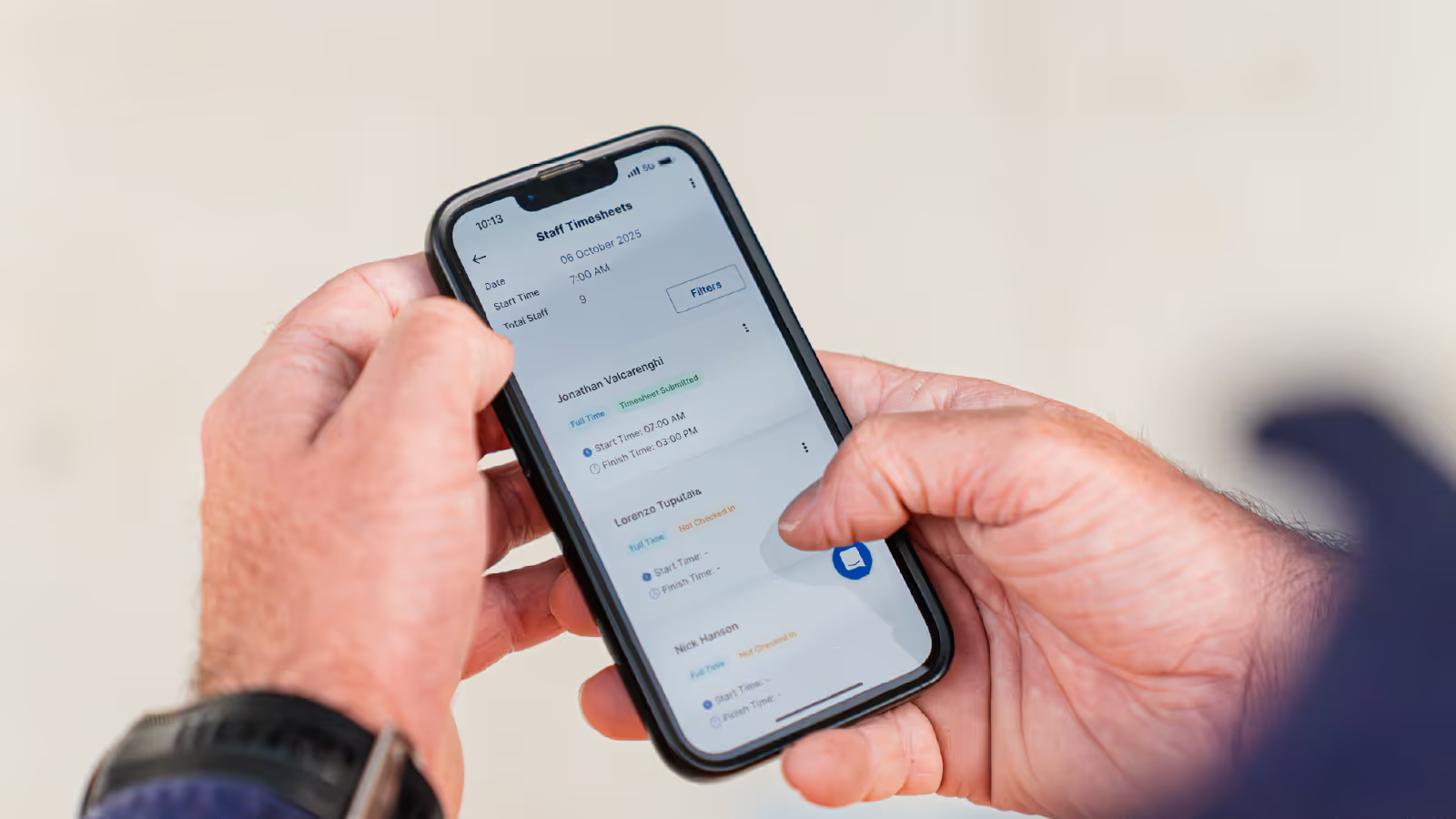
Neo is construction scheduling software built specifically for Australian subcontractors: one live project schedule, a fully integrated field app for crews and one set of daily records the office can trust. Instead of stitching together a construction scheduling tool, a timesheet app, a documents drive and a chat thread, the business runs off a single source of truth that keeps project data, job progress, documents, scheduled tasks and project health in one place, for every construction project on the books.
The same construction scheduling software gives the office end-to-end project management, control over budget, costs and compliance, and gives the crews a plan they can actually work from. Subcontractors can create jobs, assign and track tasks, manage resources and complete the day from one app instead of five, and senior leaders get reliable management reporting without building a new spreadsheet each month.
It’s one app, one plan, one view of every job, saving time the office used to lose to double handling the same information across three tools. Unlimited users on the core plan means every crew member, supervisor and office staff member can log in under their own account without juggling seats.
What signals usually trigger the switch?
Subcontractors rarely wake up one morning and decide to change tools. The move is usually triggered by one of a small number of specific events. A crew member double booked across two projects on the same day, with the same problem hitting equipment when a single excavator or truck is promised to two sites at once. A crew member scheduled while they’re actually on leave, leaving the site short handed and the foreman scrambling.
When the trigger lands, the business realises the underlying problem is not a single event but the scheduling process itself. The whiteboard, the spreadsheet and the group chat were the symptoms, not the cause.
The cause is that the information is in too many places, and modern construction scheduling software exists specifically to fix that by creating an accurate schedule, a single live source of project information and a clear line of sight from the plan to the people on the ground, from the site back to the office, from each task back to the crew member who owns it and from the job back to the invoice.
With one construction scheduling software platform in place, the business can create a clean weekly plan, track jobs as they move and keep site operations on track instead of constantly catching up.
Subcontractor Scheduling Software FAQs
Does subcontractor scheduling software work on sites with poor mobile reception?
Purpose-built field apps are designed around the reality that construction sites are often in basements, steel-framed buildings or regional areas with patchy coverage. The office never has to chase a leading hand who drove out of range before ticking off a job.
Can subcontractor scheduling software integrate with accounting packages like Xero or MYOB?
A number of modern scheduling platforms push approved timesheets straight into Xero, MYOB or similar payroll systems. The scheduling side ends when a crew receives their shift on the field app. What happens next is a separate timesheet workflow that starts when crews check in and check out on site. Once supervisors and the office have approved those timesheets, they flow to payroll in a single pass. That end to end loop is where the 90% payroll-processing saving comes from. Award interpretation, overtime rules and allowances are usually handled either inside the platform or by the downstream payroll tool, depending on which vendor you choose.
What happens to the historical data sitting in our old spreadsheets and whiteboards?
Most subcontractors do not migrate historical schedules at all. The spreadsheet stays on a drive as a read-only record for past projects, and the new platform starts clean from go-live week. What usually gets imported is the static data: crew records, equipment lists, client details, project templates. That keeps the migration short and stops the business dragging bad data forward.
How much training does a crew member actually need to use the field app?
Less than most office staff expect. A leading hand or tradesperson typically needs 10 to 15 minutes on day one to learn how to open their schedule, check in for a shift, check out at the end of the day and review tomorrow’s job. The office takes longer, because they are learning the full scheduling, equipment and daily-log workflow, but crew adoption is rarely the bottleneck. Most resistance evaporates once the crew realise they stop getting phoned at 6am asking where they are meant to be.
Is subcontractor scheduling software only worth it for larger businesses?
The economics tip over earlier than most people assume. A business with 20 crew and two or three concurrent projects is usually already losing more office hours per week to coordination friction than the software would cost. The common mistake is waiting until scheduling is actively broken, by which point the business has also accumulated payroll errors, equipment clashes and client trust issues that all need unpicking at the same time.

Frequently Asked Questions
Construction management software for subcontractors is software that helps subcontracting businesses manage crews, schedules, labour hours, compliance requirements and site documentation across multiple projects. It is designed for labour-intensive, site-based work and supports payroll accuracy, EBA and award compliance and the records needed to verify work performed.
Neo is subcontractor operations software built to solve common problems around managing crews, labour hours, compliance requirements and site records across multiple projects. Disconnected schedules, manual timesheets, payroll errors and missing site records lead to rework, disputes and margin leakage. Neo replaces fragmented processes with a single platform that keeps labour data, site activity and compliance aligned across every job.
Neo is subcontractor software used by construction businesses managing crews across multiple sites and projects. This includes a wide range of labour‑intensive, field‑based trades, such as concrete placement, concrete pumping, formwork, steel fixing, civil construction and labour hire, that rely on accurate crew scheduling, labour tracking, site documentation and EBA or award compliance to run their business efficiently
Neo is built for subcontractors of different sizes that manage crews across multiple projects. The subcontractor operations software supports both growing teams and larger subcontracting businesses, scaling as workforce size, project count and operational complexity increase.
Spreadsheets and whiteboards rely on manual updates and are often out of date, leading to missed changes, double booking and fragmented records. Neo is subcontractor software that provides real‑time scheduling, automated crew notifications, linked timesheets and site records in a single platform, ensuring crews in the field and teams in the office work from the same up‑to‑date information.
Neo subcontractor software pricing is structured around packages that scale with your business. Costs depend on factors like workforce size and operational needs, ensuring subcontractors only pay for what they use. A demo is the best way to understand which package fits your business and expected ROI.
Other Blogs

Our guide to construction timesheets for subcontractors
The hidden cost of paper timesheets on site
How to build a labour estimate you can actually track against
Ready to see an easier way to run your subcontracting business?
Get the clarity, accuracy and confidence you need to keep jobs and crews moving.